
Resolve Git conflicts in VS Code the way IntelliJ does
Mergecraft opens a conflicted file in three panes: yours, the result and theirs. It matches changes with the diff algorithms of IntelliJ IDEA, joins them with curves, and merges the ones that do not overlap in one click.
Or press Ctrl+P in VS Code and run ext install xopseasy.mergecraft
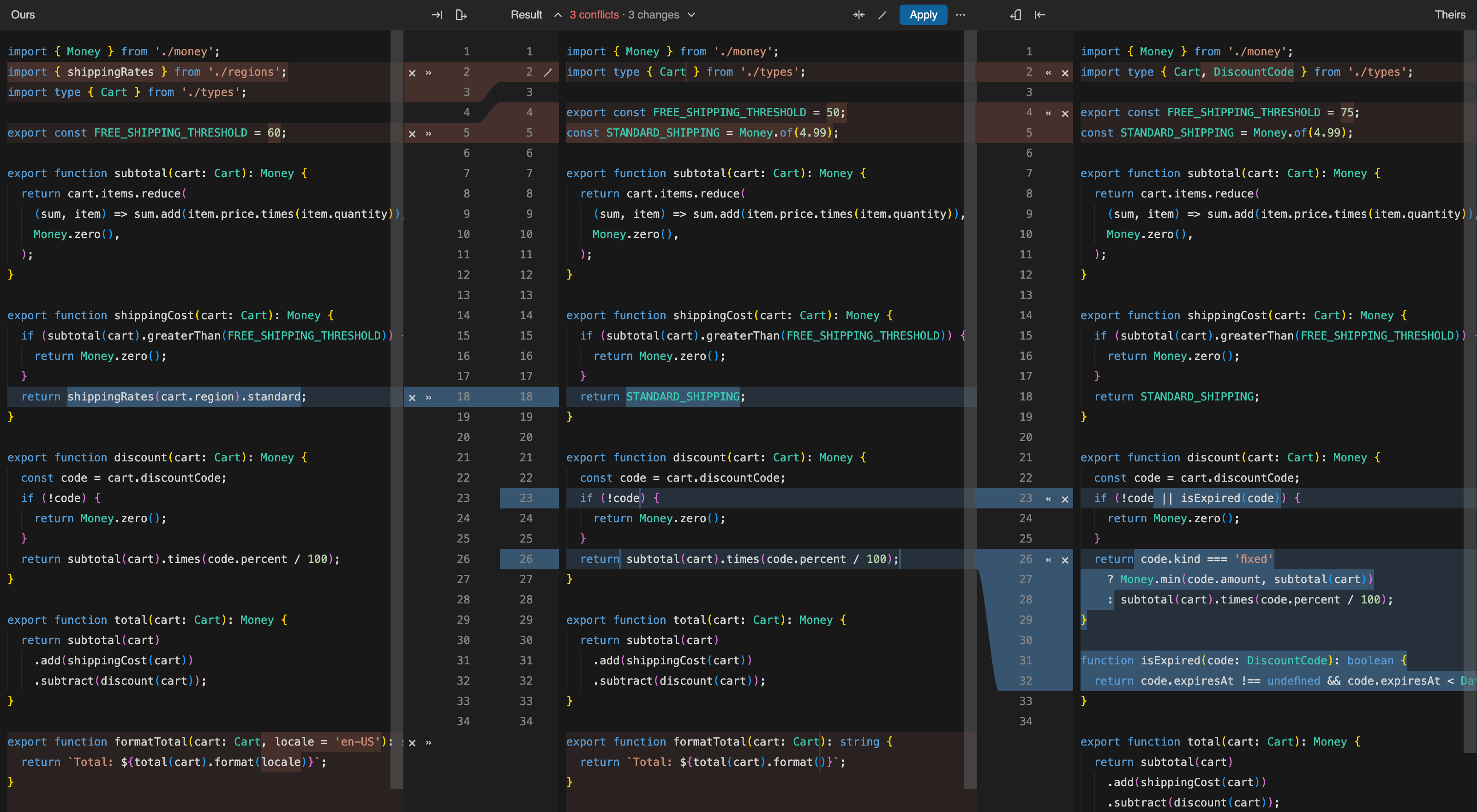
Three-way merge
Accept a side with », add the other side after it, or ignore it with ×. Changes that touch different words are merged for you, and Undo restores both the text and the state of every change.
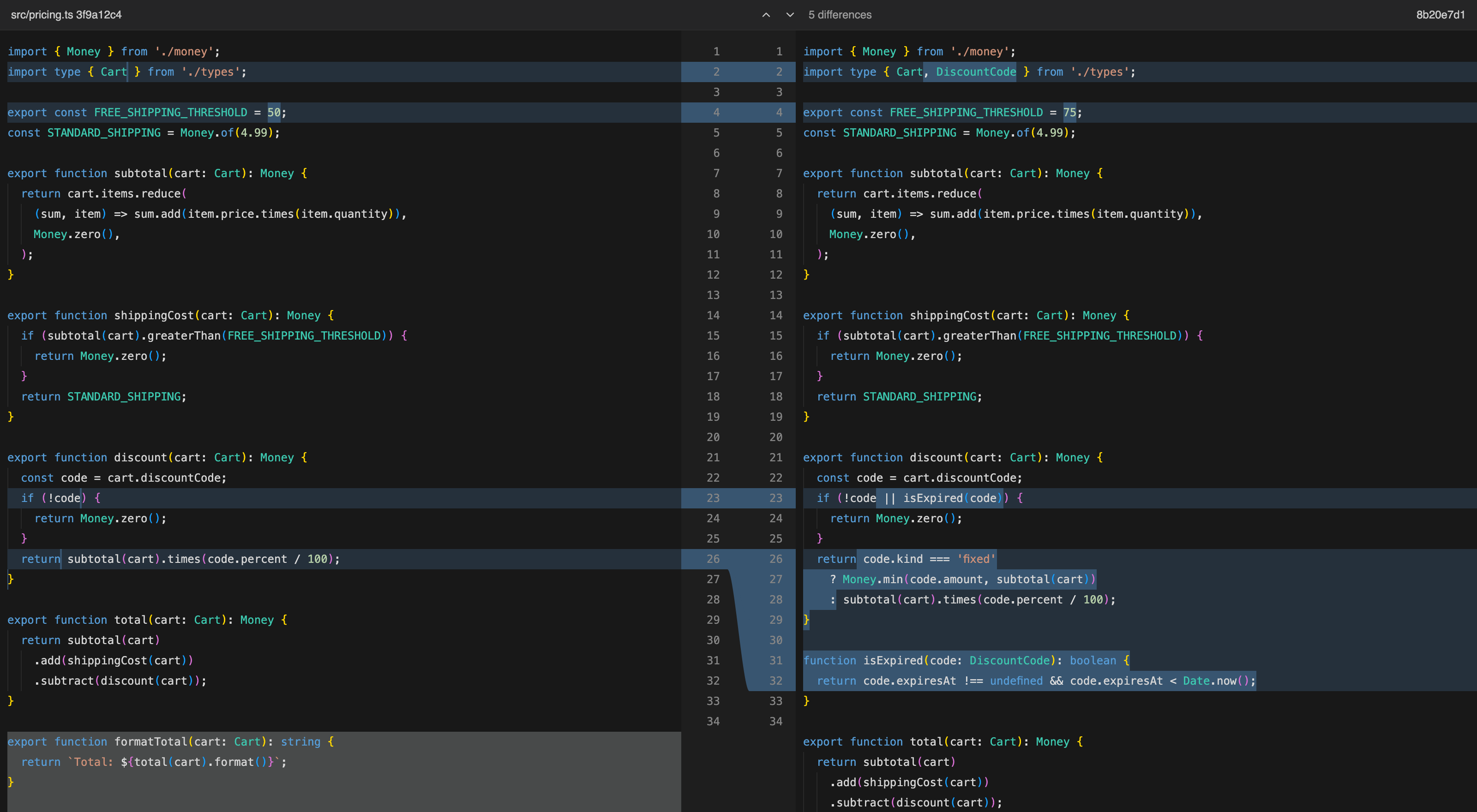
Side-by-side diff
Changed files open in a two-pane diff with word-level highlights. Both editors scroll together, and F7 jumps to the next difference.
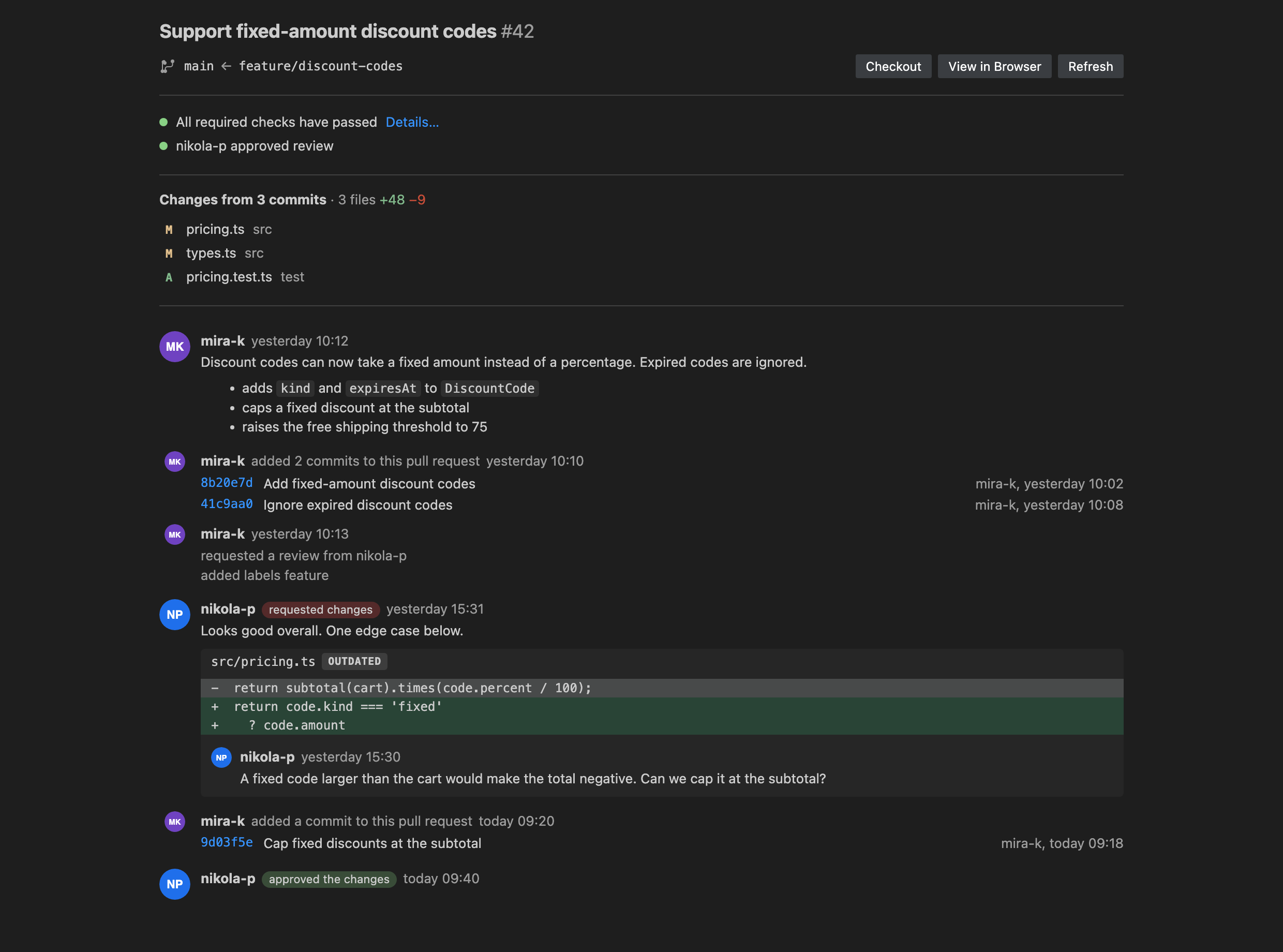
Pull requests
Browse the pull requests of your GitHub repository. Read the timeline with its review threads, open each changed file in the diff, and check out the branch to try it.
Shelf and commit
Put changes on a shelf without committing them and bring them back later, merged with whatever changed in the meantime. Stage, commit and push from the sidebar.